For dramaturgy and translation
The text comes first.
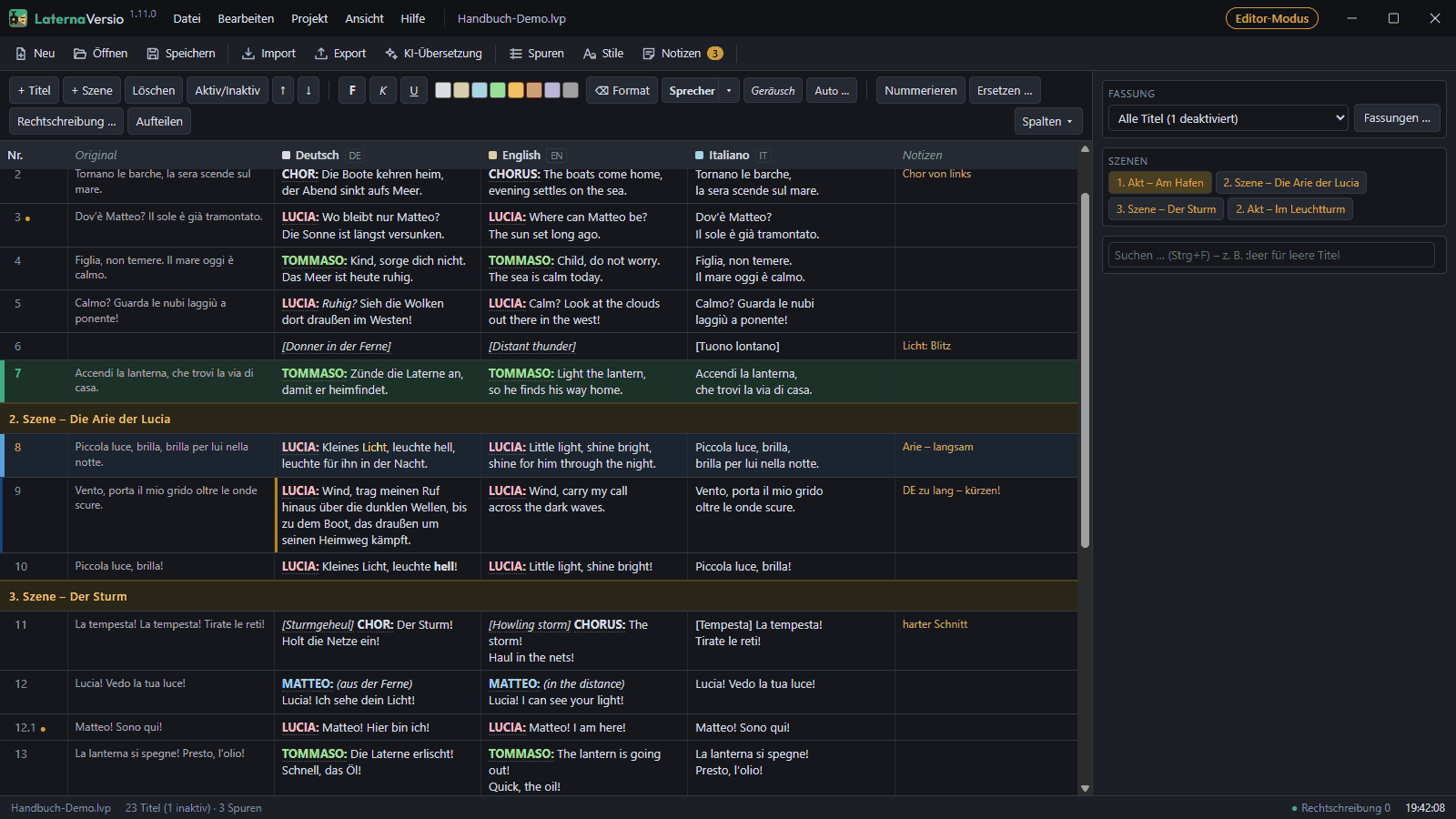
Write and shorten titles, colour the characters, keep versions – in editor mode, without projectors, network and show buttons.
Versions
“Opening night” and “Touring, short” in the same project; cut titles are skipped in the performance.
Characters in every language
One colour per character, one name per language – in one place for the whole project. Hide speaker names for all or per character; the text keeps them.
AI drafts – you decide
Drafts from an AI on your own computer, with a glossary of forms of address and names. Every suggestion is marked, a person reviews it.
Reading time
Shows which titles would have to be read too fast – in the example opera, title 94 is too long on purpose.
Earlier states
Saving keeps the last 200 versions; an earlier state is quickly brought back.
Work along on your own laptop in the house
Edit titles in the browser on your own laptop – with a password per project and approval at the desk; read-only during the performance.
An example from working on the text
“Che lampi magnifici!” – lightning or lamps? Questions like this belong in the notes column next to the title until the rehearsal settles them.
Editor mode shows only what you need for the text: table, versions, scenes, search, characters and the score with its markers. Everything else is hidden – not greyed out.
It is a setting for you personally, not for the project: one switch in the ‘View’ menu, back to the full interface at any time.
Characters and speakers
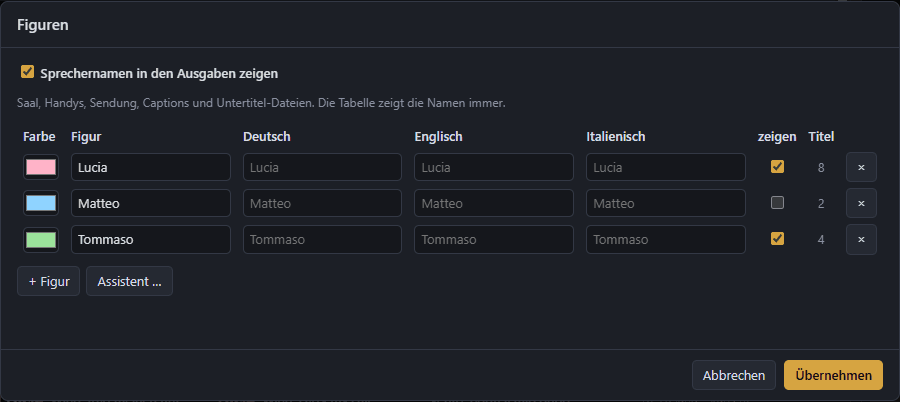
The ‘Characters’ dialogue lists every character with colour, names per language and the number of their titles. So the chorus is “Chor” in German and “Chorus” in English, without touching a single title.
Whether speaker names appear above the titles is up to you – for the whole project or per character. The assistant finds speakers in the text and assigns them.
Questions about working on the text?
Write to us – we will show you editor mode with the example opera.