Theatre and opera
Every title at the right moment.
For surtitle operators, dramaturgy and technical staff: prepare at the desk, set up in the auditorium, run the performance – in one program.
What your venue gains
Several languages, several surfaces
Projector above the proscenium, LED band on the balcony, phones in the auditorium – each output with its own language, font and position. Corner pinning, masks and soft edge are set up in the ‘Stage setup’ window.
The score at the desk
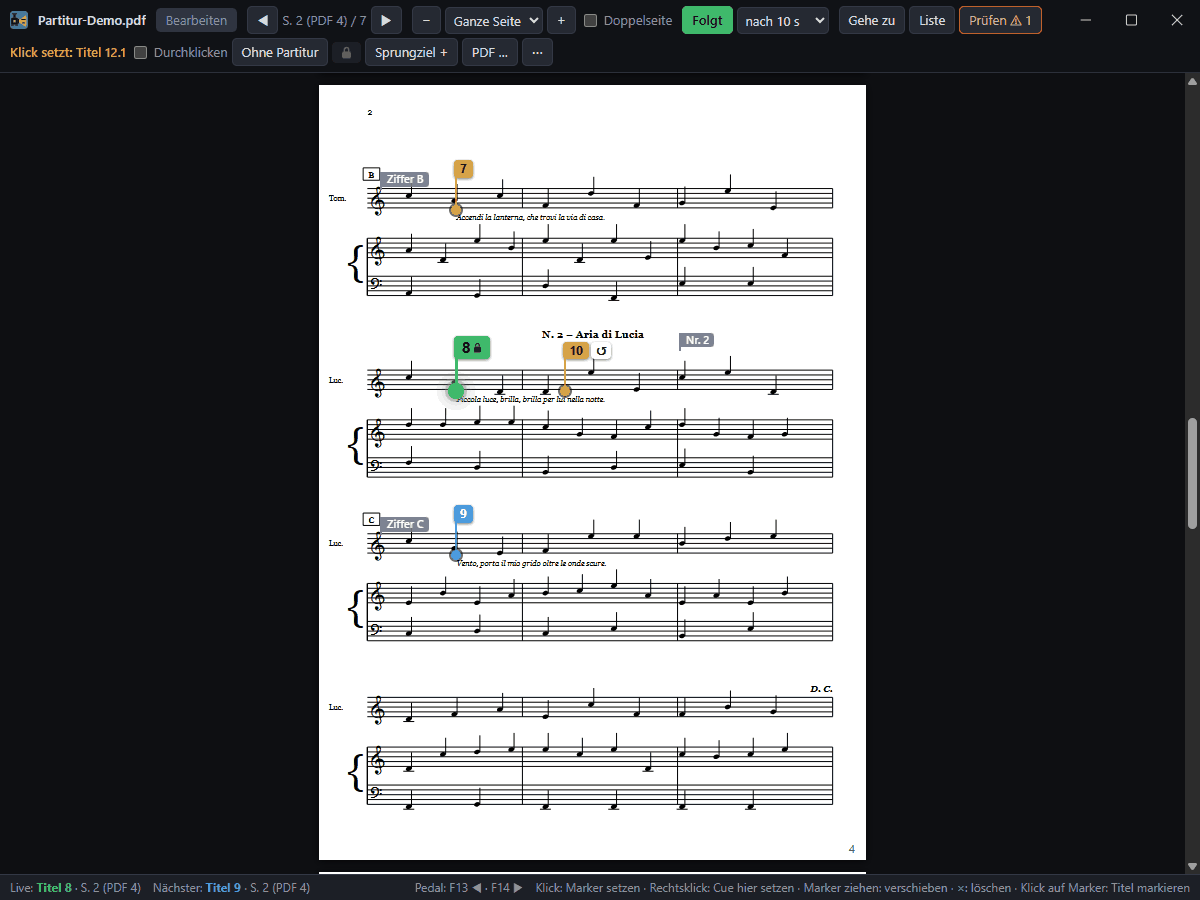
The score as a PDF with a marker at each title; ‘Go to’ finds a printed page, rehearsal figure or title. Right-click in the score: ‘Set cue here’.
Titles from the score
Take the sung text from MusicXML, MEI or a score PDF as a draft – checked against the libretto, with a guided review. A person reviews every line.
Protection during the show
In ‘Show’ mode everything except the live controls is locked – without a password. ‘Back to the start’ takes two steps, ‘Take over now’ on the backup computer asks first, notices appear as a bar with OK instead of a window.
Backup computer
A second computer follows live and takes over by itself after a failure; phones and tablet switch with it.
Phones in the audience
Titles on the audience’s own phones over the venue’s wireless network, via QR Code and without an app – everyone chooses language, text size and contrast.
Removing barriers
- For deaf audiences: speaker names and sounds marked with one button (NAME:, [sound]).
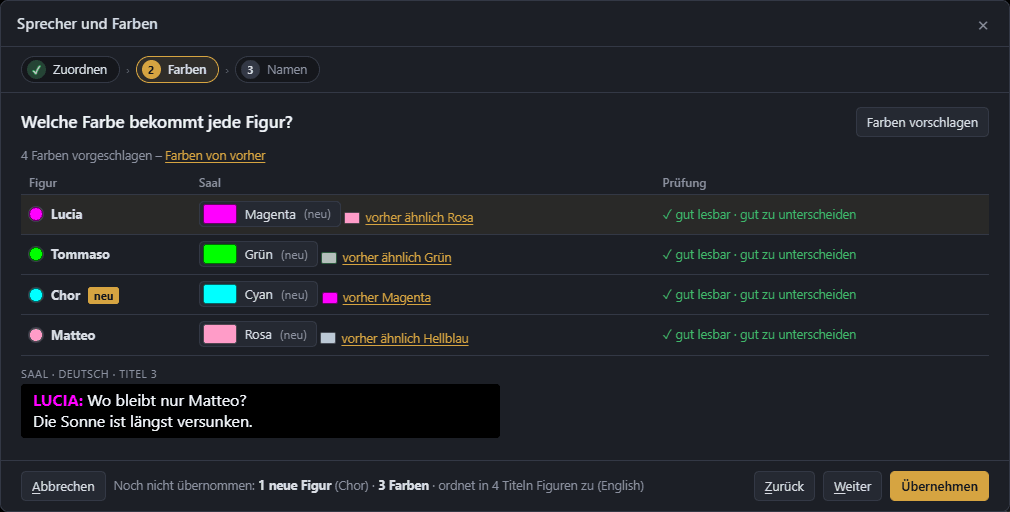
- Character colours in one place, with a check that they are easy to tell apart for colour-blind viewers too.
- Speaker names as needed: hide them for the whole project or per character – the text keeps them.
- Readability per track: own limits for characters and reading speed – for example for a track in plain language.
In the example opera “LaternaVersio”: AMBRA in amber, IVO in light turquoise, the chorus of both banks as HÜBEN and DRÜBEN in the same title.
The score at the desk
The score window shows where each title comes: markers at the place in the music, the current title in green, the next in blue. Clicking a marker selects the title; you still run it with GO.
If a marker is still missing, right-click the place in the music: ‘Set cue here’ lists the titles without a marker, with a search – one click and the marker is in place.
Score, libretto, opening night?
Write to us – we will reply with a proposal for your venue.