How you work
Preparation → rehearsal → show
Using the example opera “LaternaVersio”: 107 titles, sung in Italian, surtitles in German.
Step 1 · dramaturgy and translation, at the desk
Prepare
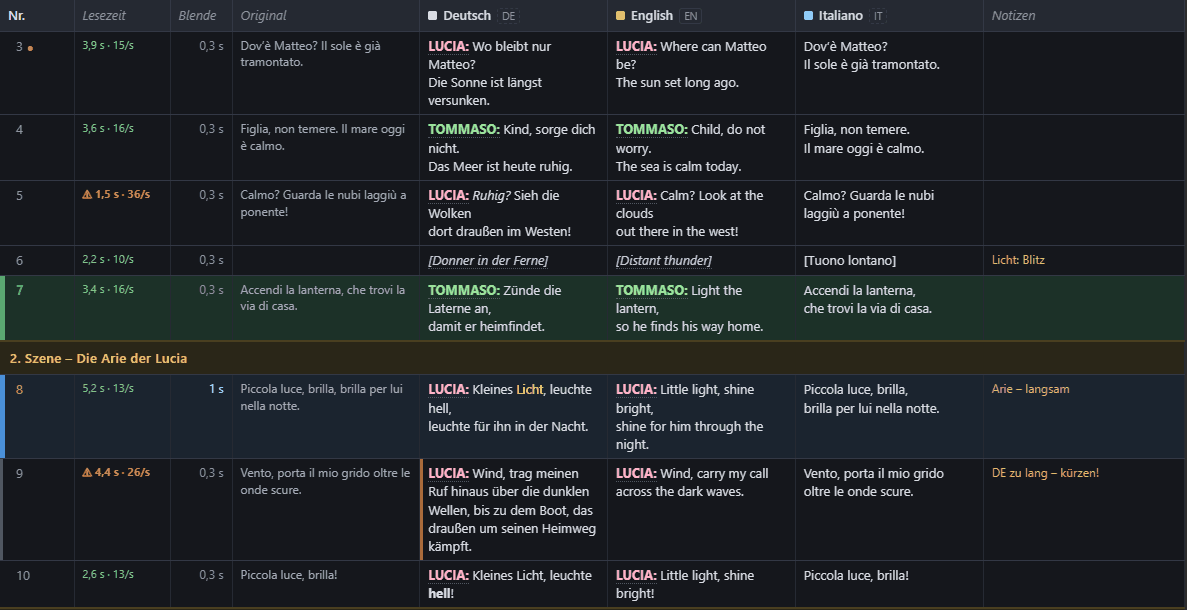
Take the libretto from Word or let LaternaVersio read the sung text from the score. Write the German titles yourself or fetch an AI draft and review it. Colour AMBRA, IVO and the chorus and name them per language – in editor mode if you like, without the technical side in view.
Step 2 · surtitle operator, in the auditorium
Rehearse
The set-up assistant sets up projector and LED band. Markers in the score show where each title comes. Reading time shows titles that are too fast; you write rehearsal notes with the N key, for example “Title 94 too long – shorten”.
Step 3 · surtitle operator, during the performance
Show
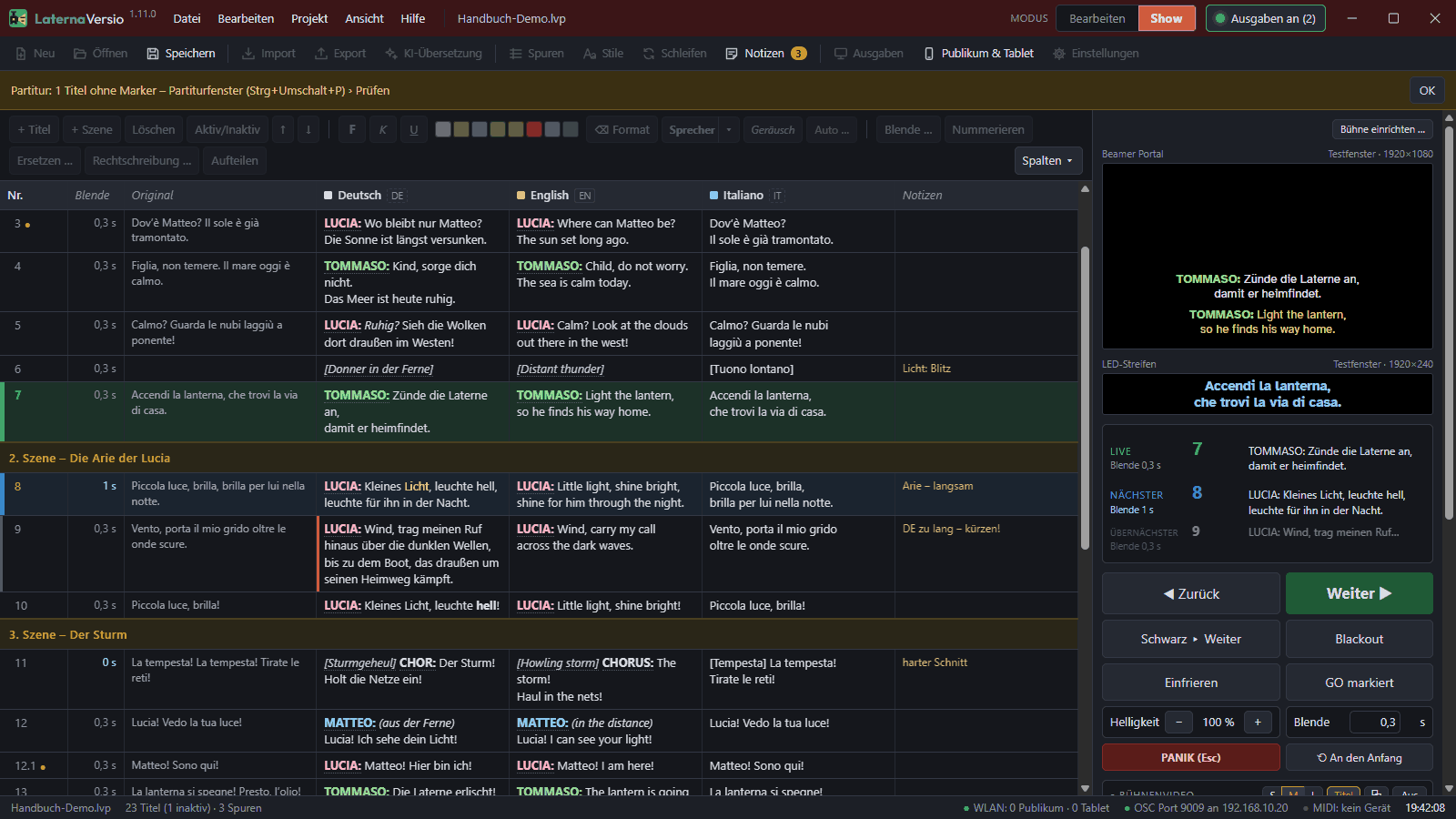
In ‘Show’ mode GO, Next, Blackout and Panic remain. A backup computer follows live. The performance log records every title with the time.
Shared work without confusion
Translation out and back
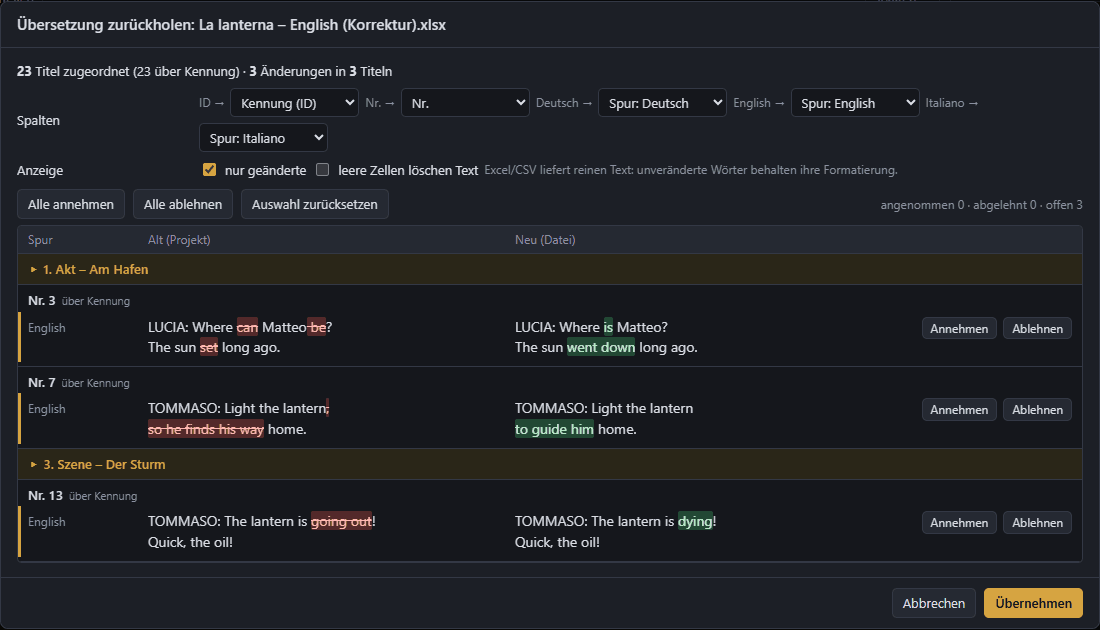
The translation goes out as Word or Excel and comes back with the differences – accept or reject each change.
Dramaturgy in editor mode
The same project file, without the buttons for projectors and the show.
The project file is the truth
One file with all languages, versions and markers; saving keeps the last 200 versions.
How does this fit your venue?
We are happy to walk through the workflow with you for your next production.